Summertime Saga Pink Channel Password Account & Code — Full Guide
The Pink Channel puzzle in Summertime Saga trips up a lot of players because the clues are scattered across multiple locations. You need the sticky note, Jenny’s laptop password, the Pink Channel account login, and the right progression through Jenny’s route — all in the correct order — before access unlocks. This guide gives you the exact Pink Channel password, account code, and full step-by-step sequence, plus fixes for when triggers aren’t firing correctly.
Jenny’s Laptop Password — The Direct Answer
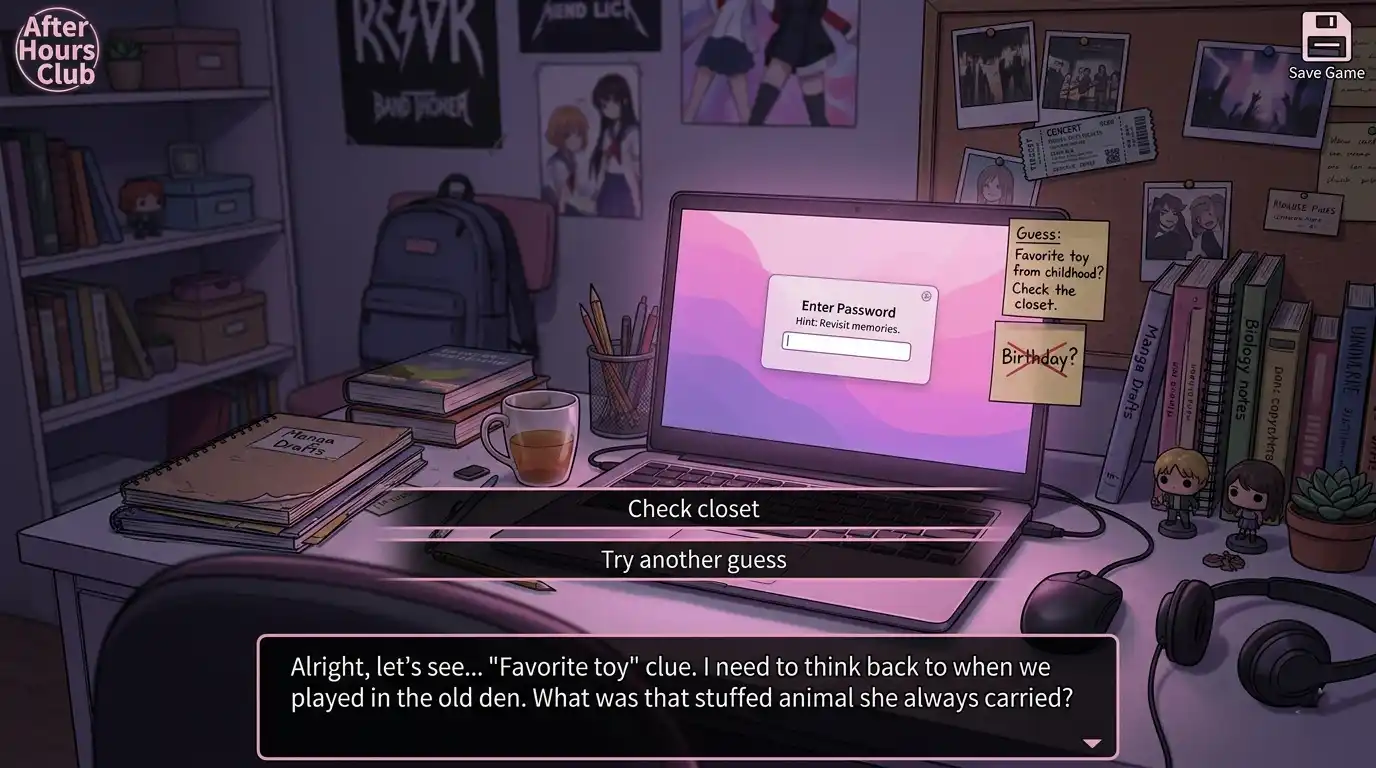
Tied to Jenny’s favorite childhood stuffed animal — hinted at by the sticky note and her diary entries.
The password for Jenny’s laptop is her favorite toy. In the game, that toy is referred to directly in her diary and hinted at through the sticky note clue in her bedroom.
The sticky note reads something along the lines of a childhood reference. In most current versions of the game, the password is “Rump” — tied to Jenny’s favorite childhood stuffed animal. Enter this in the laptop password field to unlock it. If you’re on an older or heavily modded build, the clue logic is the same even if the exact word differs slightly.
If the password field isn’t appearing for you, that’s a progression gate — not a bug. Jenny’s laptop only becomes interactive after you’ve completed certain earlier steps in her route. More on that in the sequence section below.
What the Sticky Note Clue Actually Means
The sticky note on Jenny’s computer is the in-game hint the developers placed for players who look around the room before trying the laptop. It references Jenny’s favorite toy without spelling out the answer directly.
A lot of players overthink this. The game isn’t asking you to find an item or bring something to the laptop — it’s asking you to type a word based on what you know about Jenny from reading her diary and interacting with her. If you’ve read the diary entries, the connection becomes clear immediately.
If you haven’t read Jenny’s diary yet, that’s part of why the puzzle feels incomplete. Reading the diary is a required step in her route progression, not optional flavor content.
How to Read Jenny’s Diary
Jenny’s diary isn’t available from the start. You need to reach a specific point in her storyline before it becomes interactable.
- Progress Jenny’s relationship route through the early stages — initial interactions, helping her with tasks, and building the relationship meter
- At a certain point in her route, Jenny leaves her room unattended during specific time windows
- Enter her room during one of those windows and interact with the diary on her desk
- The diary entries contain the backstory about her favorite toy — this is the context that makes the laptop password make sense
If Jenny’s room isn’t accessible or the diary isn’t interactable, you’re likely not far enough into her route. The game uses Ren’Py’s event trigger system, so some interactions only appear after specific dialogue flags have been set in previous scenes.
Accessing the Pink Channel Account
The Pink Channel is a TV/online channel you access through Jenny’s laptop after unlocking it. Here’s the full sequence:
- Unlock Jenny’s laptop — enter the password (Rump) as described above
- Browse the laptop content — interact with available options; the Pink Channel reference appears in the browsing sequence
- Note the account credentials shown — the game displays the Pink Channel login details during this scene
- Access the TV — go to the living room and interact with the television
- Enter the channel code/account details — use what you found on the laptop to log in
The TV and laptop are connected in sequence. You can’t access Pink Channel directly from the TV without first going through the laptop — the game won’t give you the account information any other way.
Need the full walkthrough?
Complete route sequence from start to finish — every trigger documented in order.
Full Jenny Route Progression Sequence
If you’re hitting walls anywhere in this puzzle, it’s worth checking where you actually are in Jenny’s route. The Pink Channel sequence sits mid-route — it’s not an early unlock.
| Stage | What Happens | Requirement |
|---|---|---|
| Early route | Initial interactions with Jenny, building relationship meter | None — available from start |
| Mid-early route | Jenny’s room becomes accessible in certain time windows | Enough relationship progression |
| Diary unlock | Diary becomes interactable in Jenny’s room | Must be mid-route, correct time of day |
| Laptop password | Laptop unlocks with password from diary/sticky note clue | Must have read the diary |
| Pink Channel | Account details visible through laptop, TV access unlocked | Laptop must be unlocked first |
| Debbie connection | Debbie route events become available after Jenny’s laptop sequence | Jenny laptop scene completed |
For the complete Jenny route from start to finish with every event trigger documented, the full Summertime Saga walkthrough covers the whole sequence in order.
How Debbie’s Route Connects to This
Some Debbie events won’t trigger until you’ve completed the Jenny laptop sequence. The two routes cross over here — the Pink Channel scene unlocks event flags in Debbie’s storyline that wouldn’t otherwise appear.
For a full route order that avoids blocking yourself across multiple storylines, see the best romance route order guide.
Other In-Game Passwords and Locked Items
The Pink Channel sequence isn’t the only puzzle in Summertime Saga that uses a hint-and-password system. The chest code found elsewhere in the game works the same way — clues are placed near the locked item, and the answer comes from paying attention to surrounding context rather than looking it up externally.
If you’re working through multiple puzzle sequences at once, the hidden scenes guide maps out where each lock-and-hint puzzle sits within the broader game structure.
When Triggers Aren’t Firing — Quick Checks
If interactions aren’t appearing when you expect them, run through this before assuming something is broken:
- Time Gate Wrong time of day — Jenny and Debbie’s events are time-gated. Try the same location at morning, afternoon, and evening if nothing shows up
- Trigger Diary not read yet — if the laptop isn’t interactive, this is almost always why. It’s a hard trigger requirement, not optional
- Input Keyboard auto-correction — Android keyboards sometimes capitalize or add spaces. If the password field rejects your input, disable auto-correct and retype manually
- Scene Exit Laptop scene exited early — if you backed out mid-scene via the Android back button, the TV won’t activate. Replay the laptop scene and exit normally through the in-game interface
- Save File Old save on new APK — saves from earlier versions can carry broken event flags into updated builds. If a trigger never fires no matter what you do, the save file transfer guide covers how to clean this up
For APK-specific issues affecting event triggers, the mod errors fix page has additional solutions. And if specific events are gating behind stat thresholds rather than relationship meters, the stats guide maps out which routes depend on strength and intelligence levels.
Frequently Asked Questions