Summertime Saga Version History — Save Compatibility, Build Differences & When Older Versions Actually Help
Switching between builds without knowing what changed is one of the fastest ways to break a save. This guide covers how the game’s development phases affect compatibility, what actually changed between major builds, and the few situations where an older version genuinely makes sense.
Short Answer: Most players do not need an older version. The current build offers the most complete story content and the fewest active bugs. Older builds are only worth considering if the latest version fails to run on your device or if a recent update introduced a regression that breaks your specific route. Save files are not reliably compatible across major version jumps — always back up before switching.
Summertime Saga has gone through several distinct development phases since its early releases. Each phase brought structural changes to how the game runs, how routes are organised, and how save data is stored. Understanding what changed — and when — matters more than chasing a specific version number.
A lot of players assume that downgrading will recover missing content or fix a broken route. In most cases, the issue is not the version — it is an unmet progression condition in the current build. Before downgrading, it is worth checking whether the route is actually blocked rather than simply waiting on a specific time or stat requirement.
Development Phases Overview
The game has gone through three meaningful development eras. Each one changed enough about the underlying structure that save files from one phase do not always carry cleanly into another.
| Phase | Version Range | Key Characteristics | Save Compatibility Risk |
|---|---|---|---|
| Early Dev | 0.15 – 0.18 | Initial character set, basic exploration loops, core story scaffolding. Route depth was limited. | High — flag structure changed significantly in later builds. |
| 0.19 – 0.20 | Largest content addition in the game’s history. New locations, expanded routes, and the 0.20 build that most players associate with the “classic” experience. | Medium — 0.20 saves sometimes load in WIP builds but progression states can misalign. | |
| Modern WIP | 21.0.0+ | Engine restructuring, redrawn assets in places, route rebuilds underway. Frequent patch releases. Some routes still being rebuilt. | Low within the same WIP series — but major WIP jumps can still cause issues. |
Compatibility can vary depending on device manufacturer restrictions and Android skin modifications.
What Actually Changed Between Major Builds
Version numbers in Summertime Saga do not always reflect the size of changes. Some minor-looking increments altered core progression logic. Some large version jumps were mostly asset updates. Here is what mattered structurally between phases.
0.15 to 0.18 — Foundation Period
These early builds established the stat system — Strength, Charisma, Intelligence, and Dexterity — and the basic location map. Route depth was shallow. Several characters who appear in later builds were either absent or had placeholder content. Save files from this era are effectively incompatible with anything in the modern WIP series.
0.19 to 0.20 — The Expansion Peak
The 0.20 build is what most returning players remember as the complete experience. It added the most new routes and locations in a single release window. The internal flag system also became more complex during this phase — which is why saves from 0.19 do not always load cleanly in 0.20 without missing event triggers.
Many players who search for older versions are specifically looking for a 0.20 build. Usually this is because they played on it years ago and want to match a save file from that period, or because a route they remember is handled differently in the WIP series.
21.0.0 Series — WIP Restructure
The shift from the 0.x numbering to the 21.x series marked a move to engine optimisation work and route rebuilding. Not all routes from the 0.20 era are fully rebuilt in the WIP series yet. Some content that existed in 0.20 exists in a transitional state in the current build — playable, but structured differently. This is often the actual reason players think something is “missing” in the newer version.
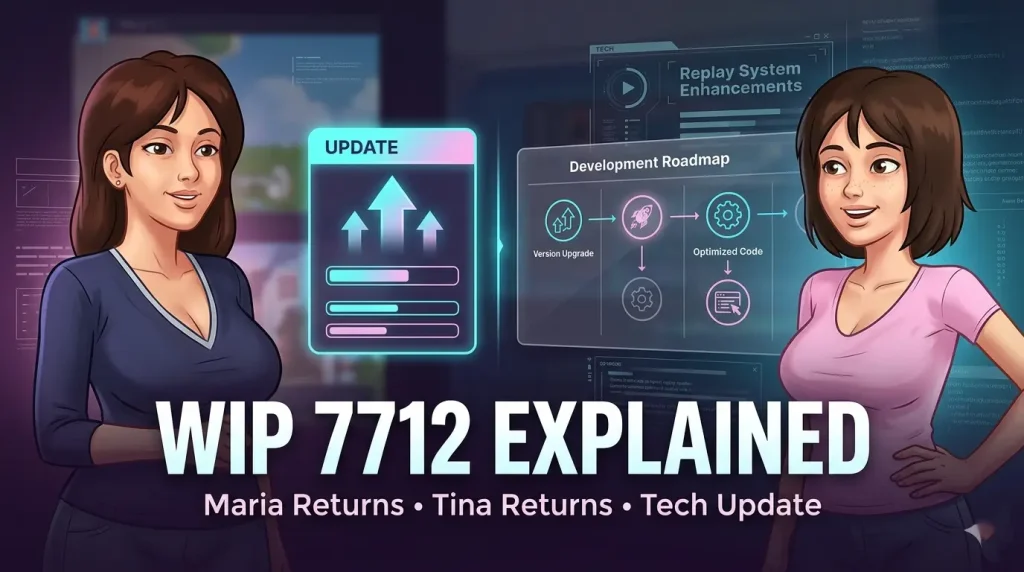
Understanding WIP Releases
WIP labels appear on releases that are still receiving active patches before a full stable push. These builds are playable and generally stable for the routes they include, but they may contain partially rebuilt sections or placeholder states for content still in development.
Playing on a WIP release is normal. Most active players are on one. The label does not mean the build is broken — it means the developer is still adding to it. The practical implication is that route availability in WIP builds depends on how far the rebuild has progressed, not on the version number alone.
Players who encounter a route that appears to stop mid-way in a WIP build are often hitting the current content boundary rather than a bug. The route is not broken — it simply has not been extended yet in that release.
Save File Compatibility Between Versions
Save compatibility is the most practically important version question for most players. The short version: saves within the same development phase usually load. Saves across phases are unreliable, and saves from the 0.x era almost never carry cleanly into the WIP series.
Why Saves Break Across Versions
The Renpy engine stores progression as a set of variables and flags tied to the game’s internal script structure. When the developer restructures a route or rebuilds a scene, those variable names can change. A save that references an old variable name will either load into an incorrect state or fail to load at all.
This is not a bug — it is a natural result of how visual novel engines handle ongoing development. It means that players who are mid-route when a major update drops may need to replay certain sections after updating.
What to Do Before Switching Versions
- Back up your full save directory before uninstalling anything.
- Note exactly which route you are on and which events have triggered.
- Test with a fresh save first rather than loading your main file into the new version.
- If moving from a WIP build to an older stable build, expect to replay content — not just restore a file.
When Using an Older Build Actually Makes Sense
There are real situations where reverting to an older build is the right call. These are narrower than most players assume.
Lower-end Android devices with limited RAM can occasionally struggle with newer WIP builds as assets have been updated. An earlier build may run more consistently on older hardware.
Occasionally a patch will break a specific route trigger or cause a crash on a particular device configuration. Reverting to the previous stable build while waiting for a hotfix is a legitimate fix.
If you have a save from the 0.20 era and want to continue it, running the matching build is the only reliable way to do so. Save migration across major phases is not safe.
What is not a good reason to downgrade: assuming an older version has more content. The WIP series contains most of the major content from earlier builds alongside rebuilt and expanded routes, although some content may be structured differently depending on the current development stage. If something seems missing, the more likely explanation is that it is gated behind a progression condition that has not been met.
Mod Builds & Version Numbers
Mod versions of the game follow the base game’s development structure but are packaged separately. This means a mod build may carry a slightly different version number than the standard release it is based on, depending on when the mod was packaged relative to a patch cycle.
Story progression in a mod build is still determined by the base game’s route logic. The mod layer typically affects unlocks and content access — it does not change how the underlying progression flags work. This matters for save compatibility: a save from a standard 0.20 build and a save from a mod 0.20 build may not be interchangeable, even if the version numbers appear to match.
When tracking down a specific older mod build, the version number on the mod package should match the base game phase it was built from. Using a mod build from one phase with a save from a different phase carries the same risks as any other cross-version switch.
Version FAQ
Unlikely to work cleanly. The internal variable structure changed significantly between the 0.x era and the WIP series. The save may load but route states will often be incorrect — some events will appear completed that are not, or vice versa. A fresh start on the current build is more reliable.
For nostalgia or matching an existing save, yes. For a new playthrough, the current WIP build has more content and fewer of the stability issues that accumulated in the late 0.x releases. The 0.20 era is not the “complete” version — it was simply the most content-complete build before the WIP restructure began.
Some routes have been partially or fully rebuilt in the WIP series. Scene structure, trigger conditions, and even some dialogue has changed in rebuilt routes. If a specific progression path feels different, it may have been intentionally restructured — not broken.
Generally yes, within the same major WIP series. Patch-level updates within the same branch rarely restructure core flags. The risk increases when jumping between major WIP versions — for example, from an early 21.x build to a later one with significant route rebuilds.
Back up the save directory before installing any update. On Android, save data is typically stored in the app’s internal data folder. On PC, the Renpy client stores saves in a dedicated saves directory within the game folder. Moving to a new version without a backup leaves no recovery option if the save becomes unreadable.
Yes. The WIP series includes rebuilt and extended content not present in the 0.x era. The exception is routes that are still mid-rebuild — those may be shorter in the WIP build than they were in 0.20. Checking the current WIP progress status is the most accurate way to know what is fully available in the latest release.
Final Thoughts
Version differences in Summertime Saga matter most at the save file level. For the majority of players starting fresh or already on a WIP build, staying on the latest release is the right call. Older builds serve a specific purpose — save file matching, device compatibility, or regression avoidance — and not much beyond that. Back up before switching anything, and check what the WIP progress actually covers before assuming content is missing.